
How to find or check for possible duplicate records:
-
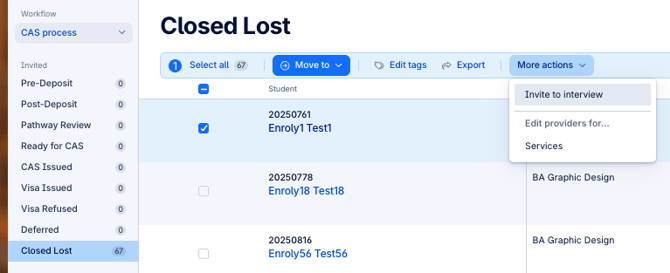
Check the options button in the spreadsheet to see if there's an option to resend the invite or password reset link. If not, it may indicate a duplicate record—proceed to Step 2
-
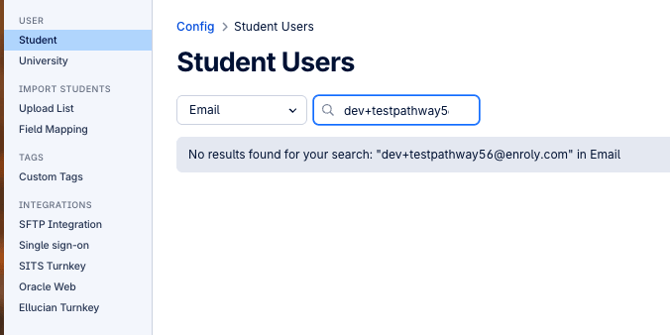
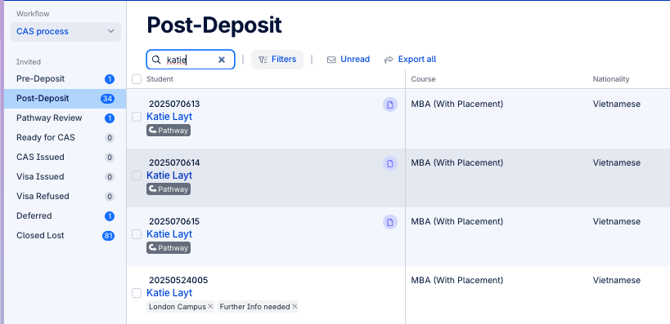
Go to the configuration to search for duplicates using the email address. If that doesn't show results, it's best to manually find it using either the first name and last name of the student in the spreadsheet view.
-
Once you have found the duplicate records, make sure to keep the right student ID to remain active or retain in CAS.
-
Merge the records on your student management system first before you contact CAS Technical Support.
-
Once done, provide both ID and mention which ID should be the active record.
-
The student will be able to receive the CAS welcome email and proceed with logging into the system.