
Approving a document on a record:
- Click on a student’s record
- Go to the document section to review
- Click on the green tick next to the document name
Note: On CAS Shield, only UniAdmin, PathwayAdmin, Uni, Pathway, UniSecure & PathwaySecure users can approve a document.
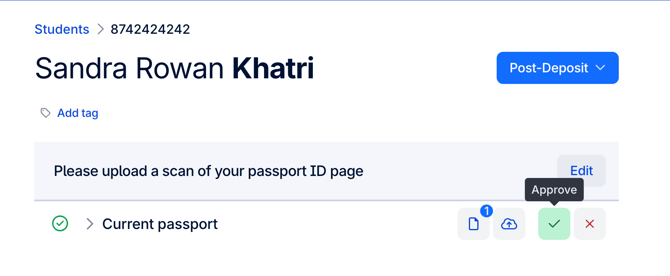
*Screenshot displays an example of how to approve a document on CAS Shield