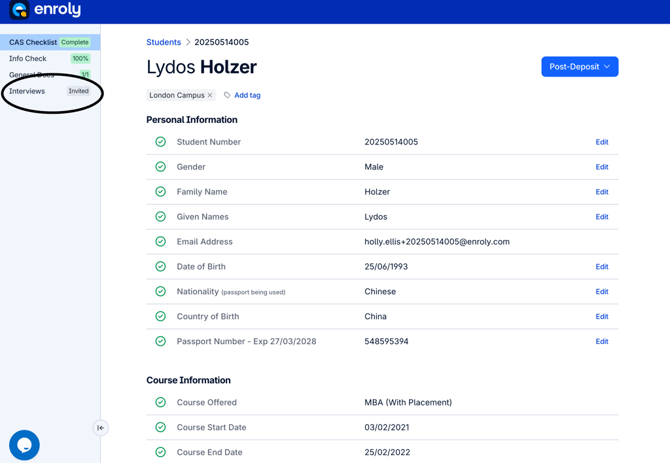
1. Open the student record on CAS Shield. On the left panel, go to the Interviews section.
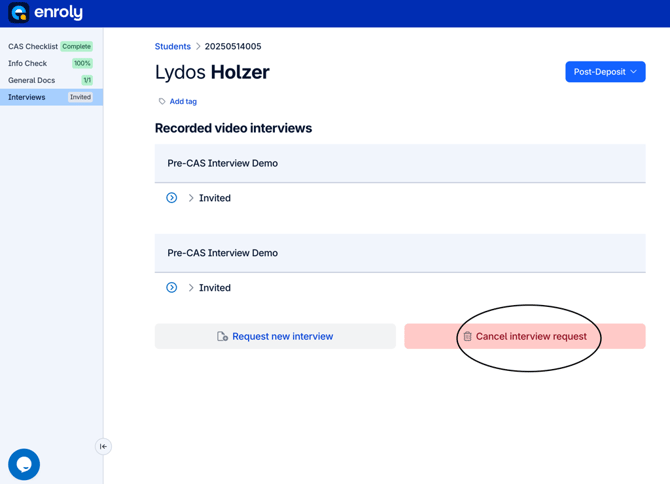
2. Click "Cancel interview request".
In this example, this student has two interview requests so one of these needs to be cancelled.
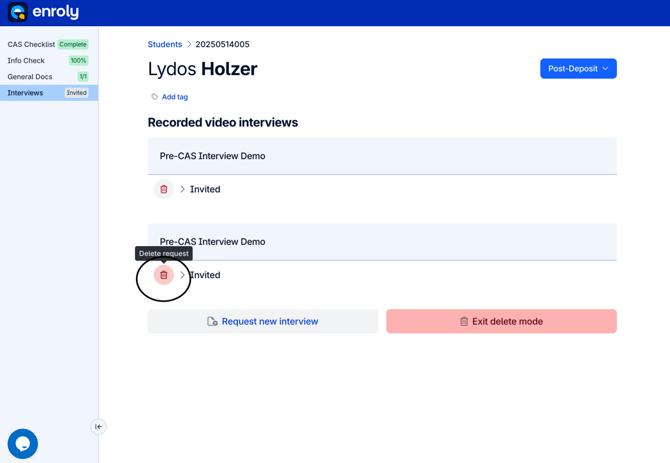
3. Finding the relevant interview request to be cancelled, click the Delete request icon (the one that looks like a red rubbish bin).
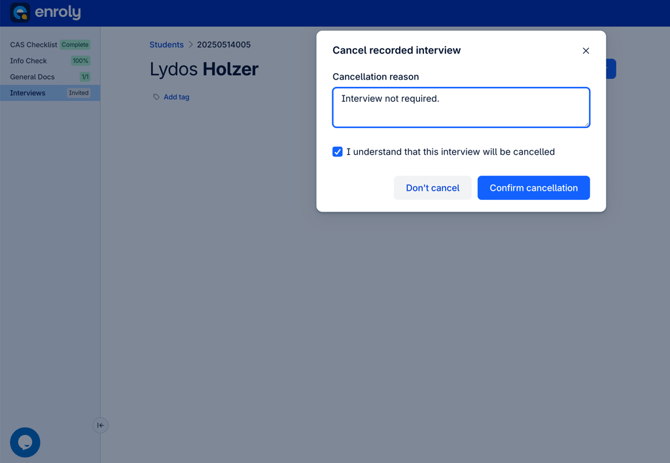
4. In the pop up box, type a brief description of why the interview needs to be cancelled and tick the "I understand that this interview will be cancelled" check box. Then click "Confirm cancellation" to proceed.
Note: If the check box is not ticked, it is not possible to click "Confirm cancellation". This must be agreed to before proceeding.
5. This interview request will disappear from the Interviews section. In the example below, there is now correctly only one interview request.
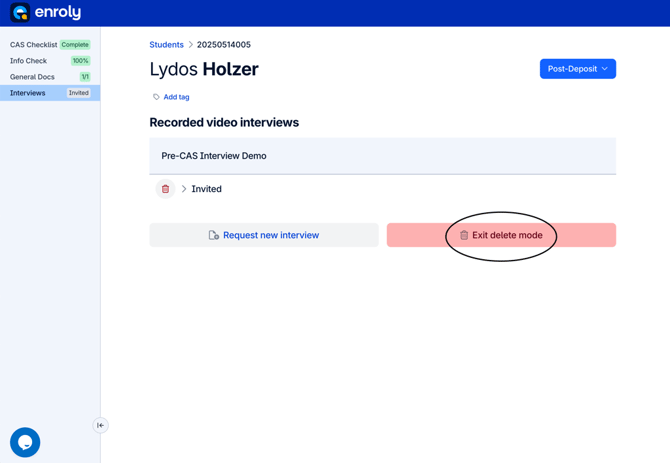
To finish, click "Exit delete mode".