
Step by step instructions on how to generate a custom document
- Click on a student’s record
- Select the section you would like to generate a custom request for (General Documents, Financial Documents, if applicable).
- Scroll down to the bottom of the page and click on “Request a custom document”
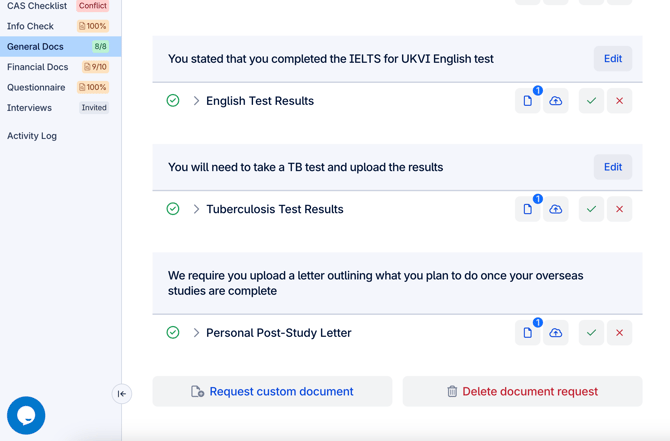
- Click on “Request custom document”
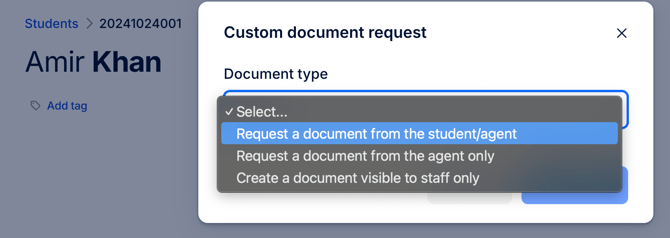
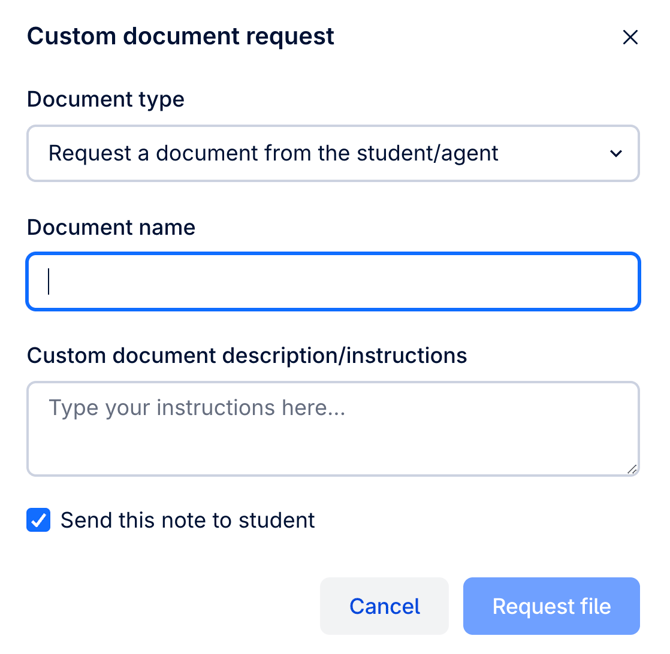
- Choose document type, enter the document name and description
- Request file
Note: UniAdmin, PathwayAdmin, Uni, Pathway, UniLite & PathwayLite users can generate custom document requests.