
Follow these steps to reject a document:
- Click on a student’s record
- Go to the document section to review
- Click on the red X next to the document name
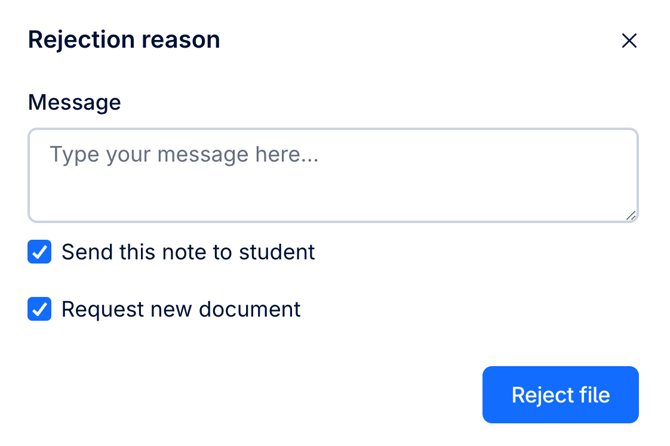
- Add a rejection reason. The student will be notified & the system will automatically generate a new request.
- Click on “Reject file”
Note: You can choose not to request an alternative document, simply untick "Request new document"
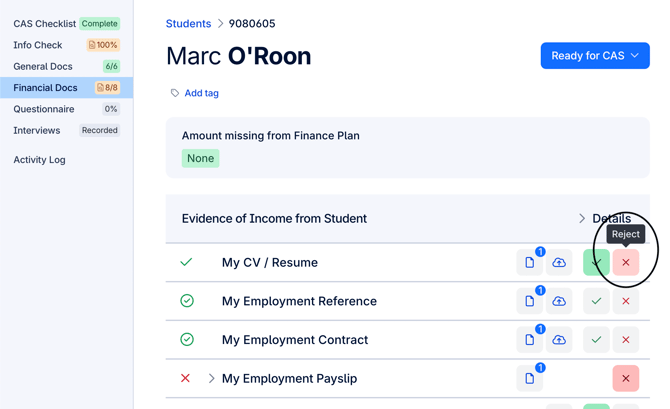
*Screenshot shows where you can reject a document within CAS Shield