
- Click on a student’s record
- Go to the document section to review
- Click on the upload icon next to the document name
- Click on “Choose file” and select the document. File types that can be included are limited to: jpg, jpeg, gif, png, bmp & pdf
- Once uploaded, click on “Save & continue”
Note: Agents have the ability to upload documents on behalf of students through their own Enroly CAS Shield agent portal.
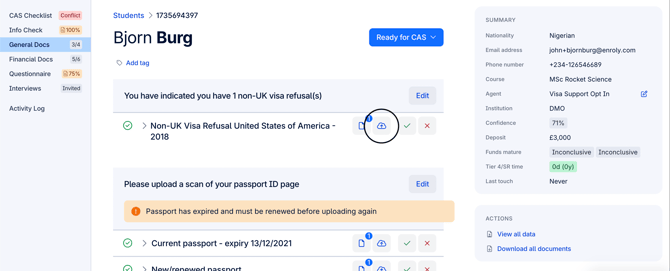
*Screenshot displays where the upload icon is displayed within CAS Shield