
Filters are incredibly useful when users need to focus their work on specific categories of students. Options for filtering the spreadsheet view include criteria such as Nationality, Tags, Course, and Funds Maturity. These filters remain fixed, allowing users to navigate in and out of records without reverting to the default view - unless the page is refreshed or the user logs out.
Step by step instructions on how to use filters
1. On the spreadsheet view, click the 'filters' button.
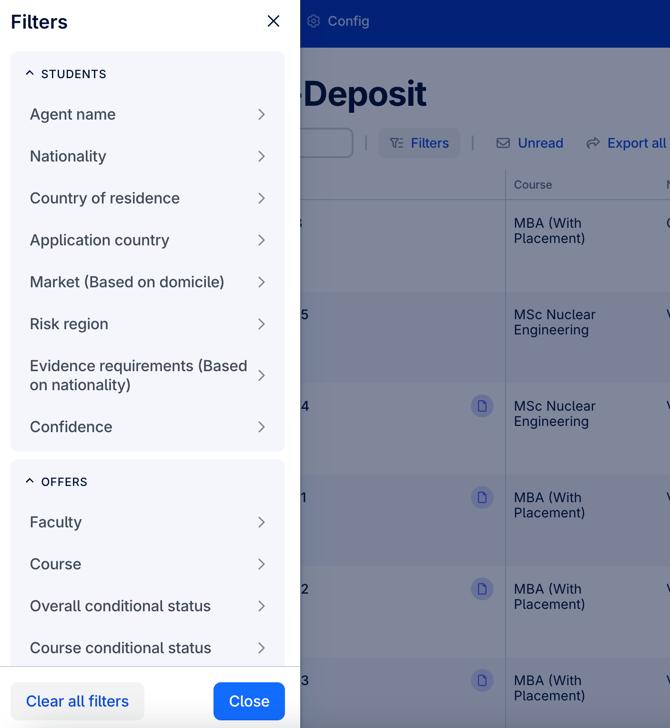
2. This will bring up the filters side bar. Choose your desired filters. You can also clear all filters with the button at the bottom of the side bar.
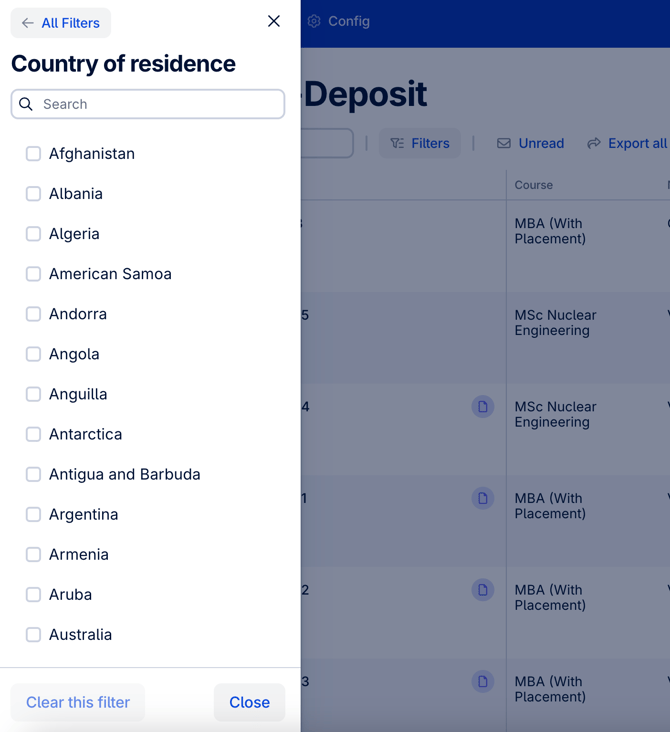
3. As an example, the country of residence filter is on display below. Here you can choose to filter the students by their country of residence.
Quick tip - Make sure to familiarise yourself with all of the filters available on CAS Shield, so that you can quickly and efficiently sort through student records, identify key information, and streamline your workflow.