
-
Open the Student Record
-
Search for and open the student’s profile.
-
Go to the Information Check
-
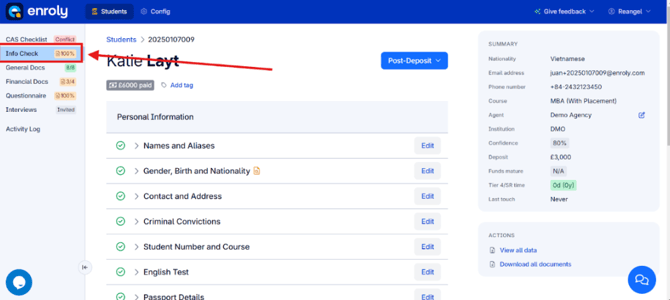
Click on Information Check in the student’s record.
3.Access Course Details
-
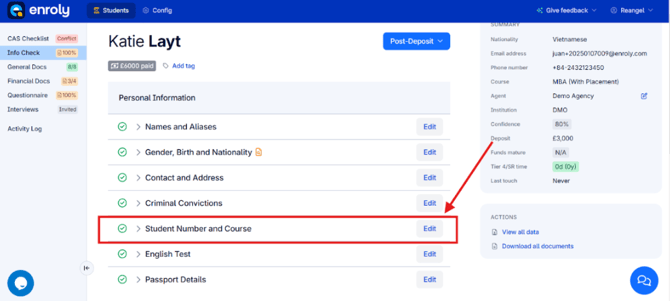
Under Personal Information, click Edit next to Student Number and Course.
4.Edit the Course
-
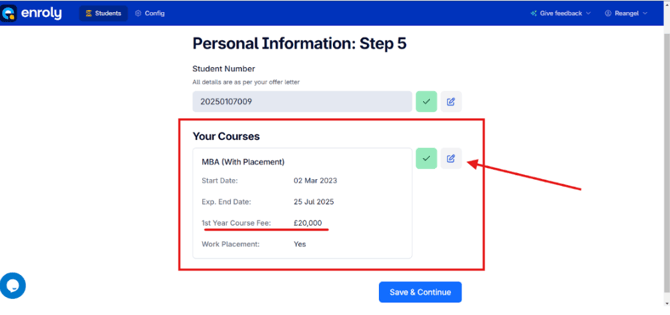
In the Your Courses section, click Edit.
5. Update the Fee
-
Amend the Course Fee field to the correct amount.
-
Click Save to confirm the changes.