
The offer status appears as "Declined" due to the decision or offer status code uploaded or imported in CAS Shield.
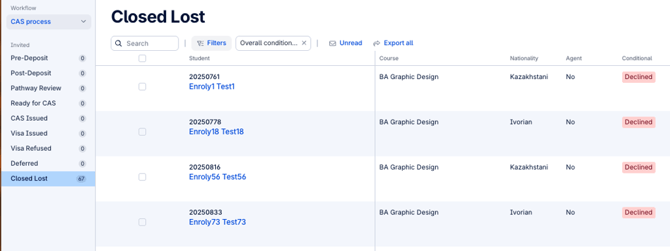
To correct the offer status:
The university must review and update the decision status code on your student management system. In order for the student record to update on CAS Shield, the updated offer status or code needs to be sent via the integration.
If you are using our CSV or SFTP integration: the status will update once you manually upload a report or upon the next sync via the sFTP integration.
If you are using our API or SITS TK integrations: the status will update automatically upon updating your student management system.
Once amended, the corrected status will be reflected accordingly in the system.
Note: This status cannot be manually overridden in the system. It strictly reflects the data uploaded or reimported by the university.