
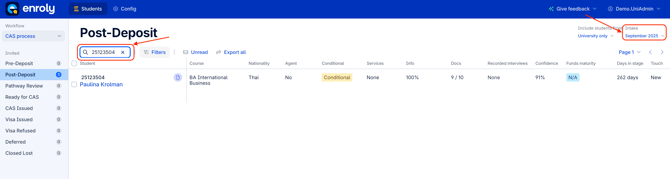
Step 1: Search in spreadsheet view
- Search for the student's record using their student ID or name, ensuring that you are searching within the correct intake period.
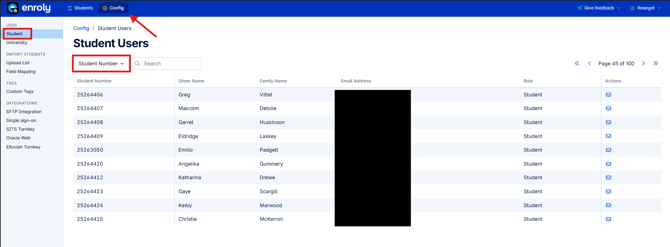
Step 2: Search in Config
- If you don't find any results in the spreadsheet view, try searching for the student in the configuration settings using their email address to check for an existing record or a potential duplicate record.
Step 3: Check import data and the student record system
- It may be that the student has not met the trigger or sync requirements to be pulled into CAS Shield. If you can do so, check in your student record system to ensure all offer status/decision codes are correct, and that all mandatory data fields are populated.
- If you use a CSV file to upload students into CAS Shield, double-check that the student is definitely included in the file and that all mandatory fields are populated in the CSV.
Step 4: Contact Enroly Chat Support
-
If further assistance is required, escalate the query via the Enroly Live Chat Support in CAS Shield.
-
Provide all relevant student details to help with the investigation.