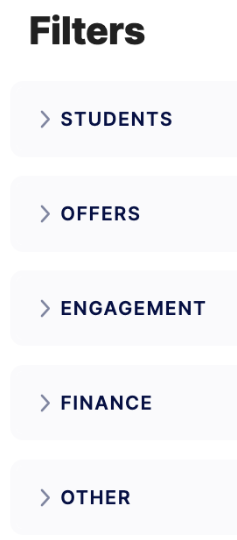
You can use filters to include students in your spreadsheet view based on a variety of conditions. You can apply more than one condition when applying filters.
Here is how you can apply a filter to the spreadsheet view.
-
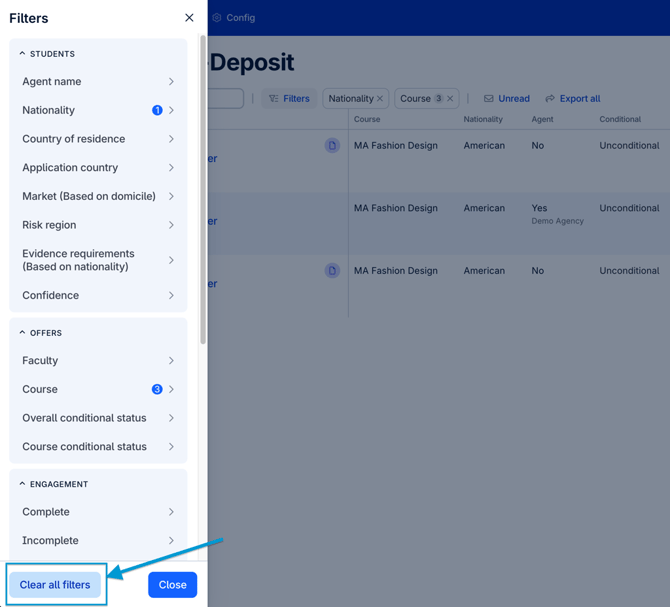
To filter your spreadsheet view, select Filters and choose your option from the filter panel (You can view the definitions of the filter panel categories further down this article)
-
You can stack multiple filters on the Spreadsheet view, demonstrating cases where more than one factor is included (an example of three filters included can be: Nigerian Nationals with an Unconditional offer and a recorded interview ready for assessment)

-
Your filters are fixed, ensuring the filters stay applied to the spreadsheet view when moving in and out of student records.
-
Hover over the name of the filter to see which filters are currently applied to the Spreadsheet view.
Here is how you remove a filter from your Spreadsheet view page:
-
To remove an individual filter, click on the X next to the filter.
-
To remove all filters click on ‘Filters’ and at the bottom click on ‘Clear all filters’.
-
All Filters will be removed if you log out.
Filter Panel Categories
- STUDENTS - This category allows you to filter by Agent name, Nationality, Country to Residence, Application country, Market, Risk Region, Evidence requirements and Confidence Score
- OFFERS - This category allows you to filter by Faculty, Course and a student's Offer Condition Status
- ENGAGEMENT - This category allows for filters based on engagement with CAS Shield, where you can filter by Complete or Incomplete CAS Shield tasks, Interview booking status, Recorded interview status, User activity status and Days idle
- FINANCE - Demonstrates filters based on the status of a students funding evidence (examples are 'Mature' 'Insufficient' and 'Approved').
- OTHER - This category holds the remaining filters, where you can filter Visa status, Tags applied to records, Programmable tags and Dependants